Ghosthub documentation
Open tmux, Herdr, and Zellij sessions on your Mac and SSH hosts in one native Mac app. Use any of them without Git setup. Add projects and worktrees when you want a separate checkout and tmux session for each branch.
These docs explain how to operate Ghosthub. For a shorter, visual introduction, start with the five-minute Overview.
These guides and screenshots follow main. Features marked Unreleased
are newer than the latest stable download. See
release and nightly builds
to choose a build.
Start here
| If you want to… | Read… |
|---|---|
| Install Ghosthub and open a first session | Getting Started |
| See what changed in each release | Changelog |
| Attach to tmux, Herdr, or Zellij, or manage a session | Sessions |
| Save a command for a new remote tmux session | Launch profiles |
| Connect a Mac, Linux, or experimental Windows host | Remote Hosts |
| Register a Git repository or create a worktree | Projects and Worktrees |
| Use windows, tabs, the sidebar, or the Command Palette | Windows and Navigation |
| Change fonts, colors, shell behavior, or tmux themes | Terminal Configuration |
| Find an application shortcut | Keyboard Shortcuts |
| Understand anonymous usage reporting and stored data | Privacy |
| Diagnose a connection, multiplexer, or worktree problem | Troubleshooting |
How Ghosthub organizes your work
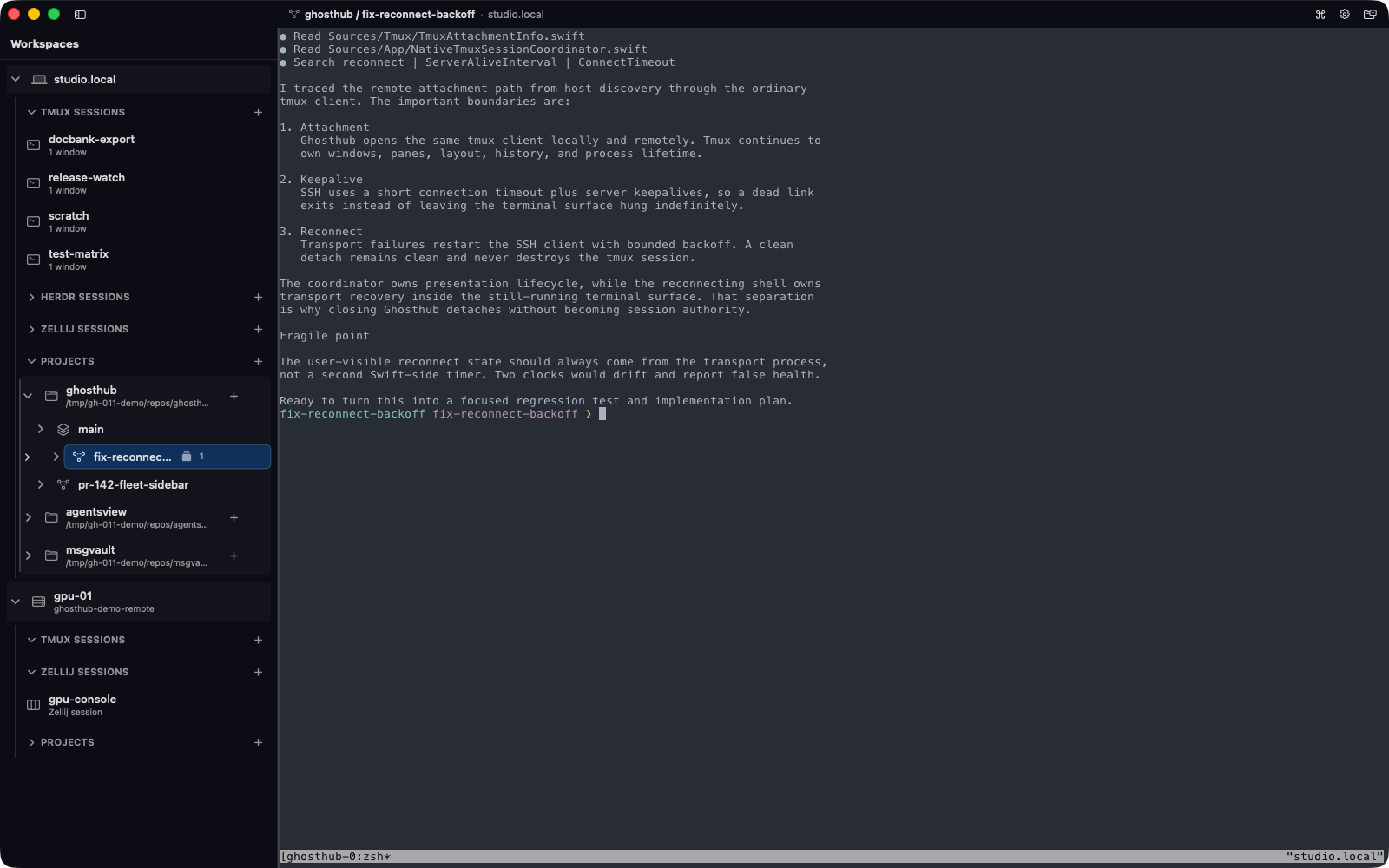
A terminal multiplexer keeps sessions running when you close a terminal or lose a connection. Ghosthub opens those sessions and helps you switch between them. Tmux, Herdr, and Zellij can run beside each other on the same host.
- Hosts are the local Mac or machines reached over SSH.
- Sessions are ordinary tmux sessions, running/stopped Herdr sessions, or active Zellij sessions on a host. They do not need a Git repository.
- Projects are Git repositories registered with kwt on a particular host.
- Worktrees are separate checkouts of a project's branches. Each has a tmux session managed by kwt.
Each multiplexer keeps control of its panes, layout, history, key bindings, and processes. Closing a Ghosthub terminal disconnects its client and leaves the session running. To end a session, use a separate confirmed Kill Session… or Herdr Stop Session… action.
Human and machine-readable pages
Every page has an HTML URL and a Markdown twin. For example:
https://ghosthub.ai/docs/sessions/https://ghosthub.ai/docs/sessions.md
The complete machine-readable index is available at
https://ghosthub.ai/llms.txt.