Windows and navigation
Each Ghosthub workspace can show a tmux, Herdr, or Zellij presentation. It can keep multiple tmux presentations connected while showing one at a time; Herdr owns the complete internal workspace shown by its client. Native macOS tabs group complete Ghosthub workspaces and do not replace any multiplexer's internal windows, tabs, or panes.
Use the sidebar
The sidebar shows standalone tmux sessions, running and stopped Herdr sessions, active Zellij sessions, projects, and worktrees under each host. Select an item to attach. Moving among tmux targets hides the previous terminal without detaching its local or SSH client; moving away from Herdr or Zellij detaches only its presentation and leaves its server running. Stopped Herdr rows are dimmed and labeled Stopped. Expand a host to see its current inventory and connection diagnostics.
Each open window or tab keeps its own expanded and collapsed groups. Expanding a host or project in one window leaves other windows as you arranged them. New windows start with hosts and session groups expanded and projects collapsed.
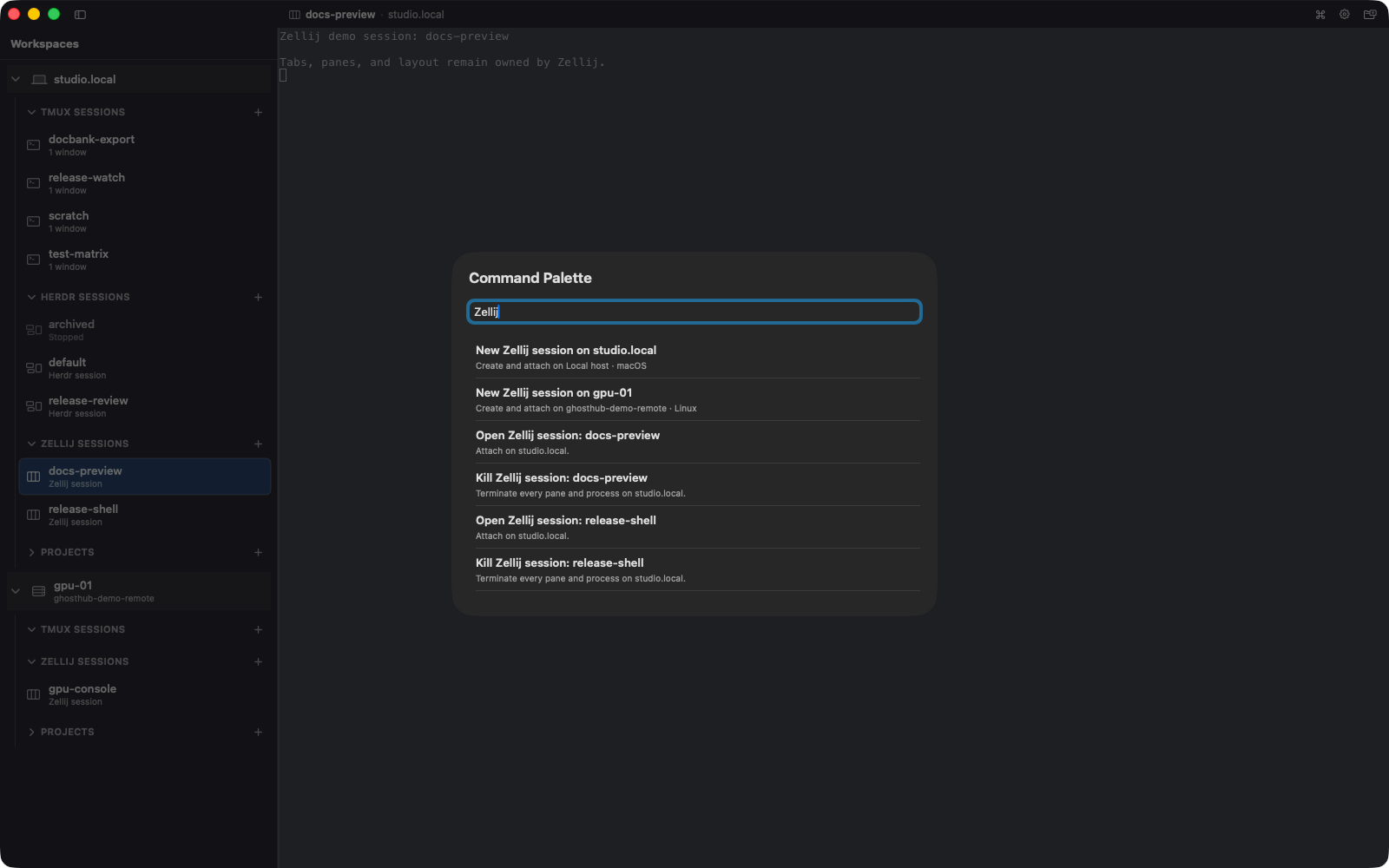
Press Cmd+B to hide or show the sidebar. Hiding it gives the terminal the full window while preserving its session attachment.
Use the Command Palette
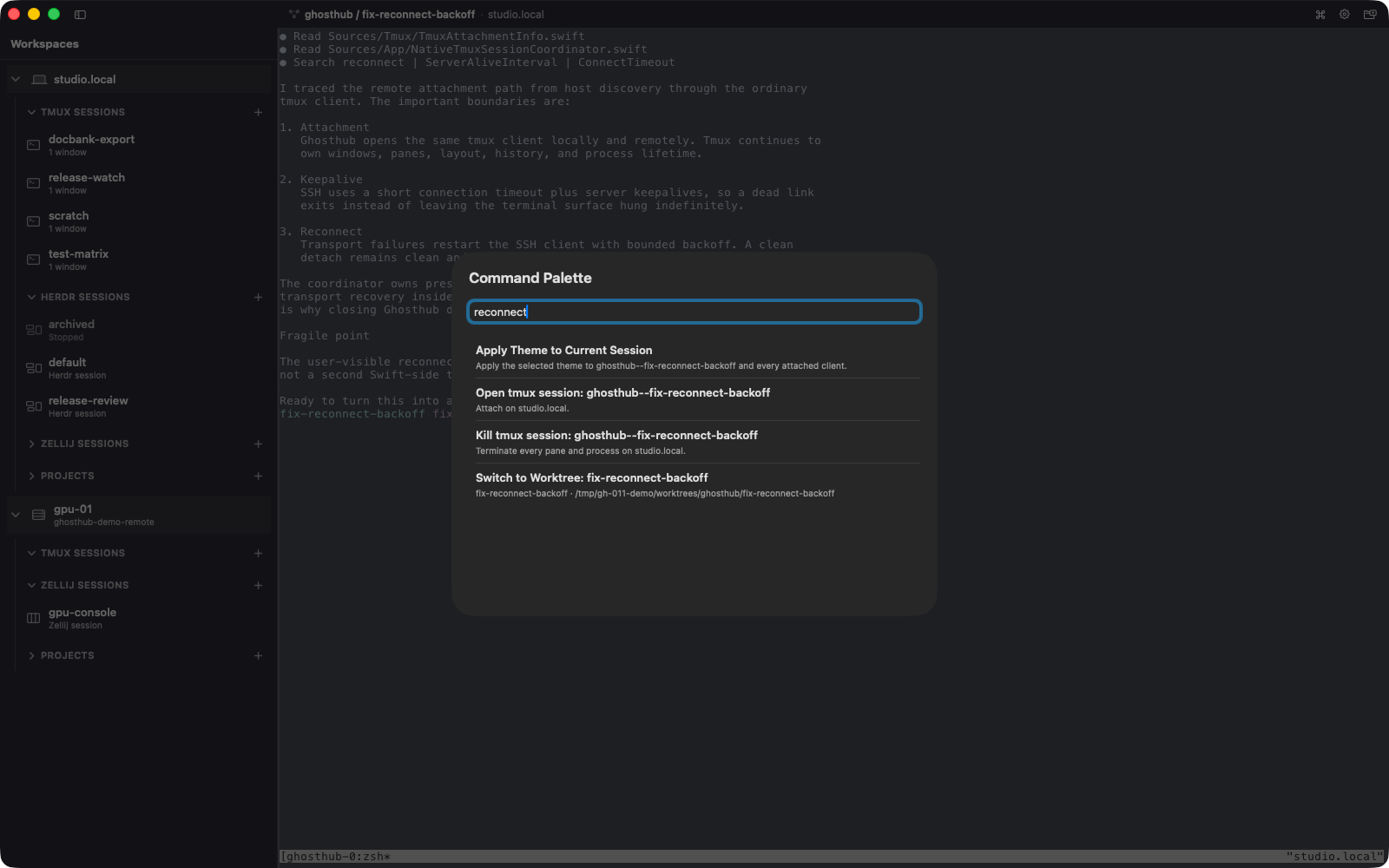
Press Shift+Cmd+P and type to search:
- hosts, projects, worktrees, and standalone tmux, Herdr, or Zellij sessions
- settings pages
- session lifecycle commands
- appearance and theme commands
Press Return to perform the selected action.
Open tabs and windows
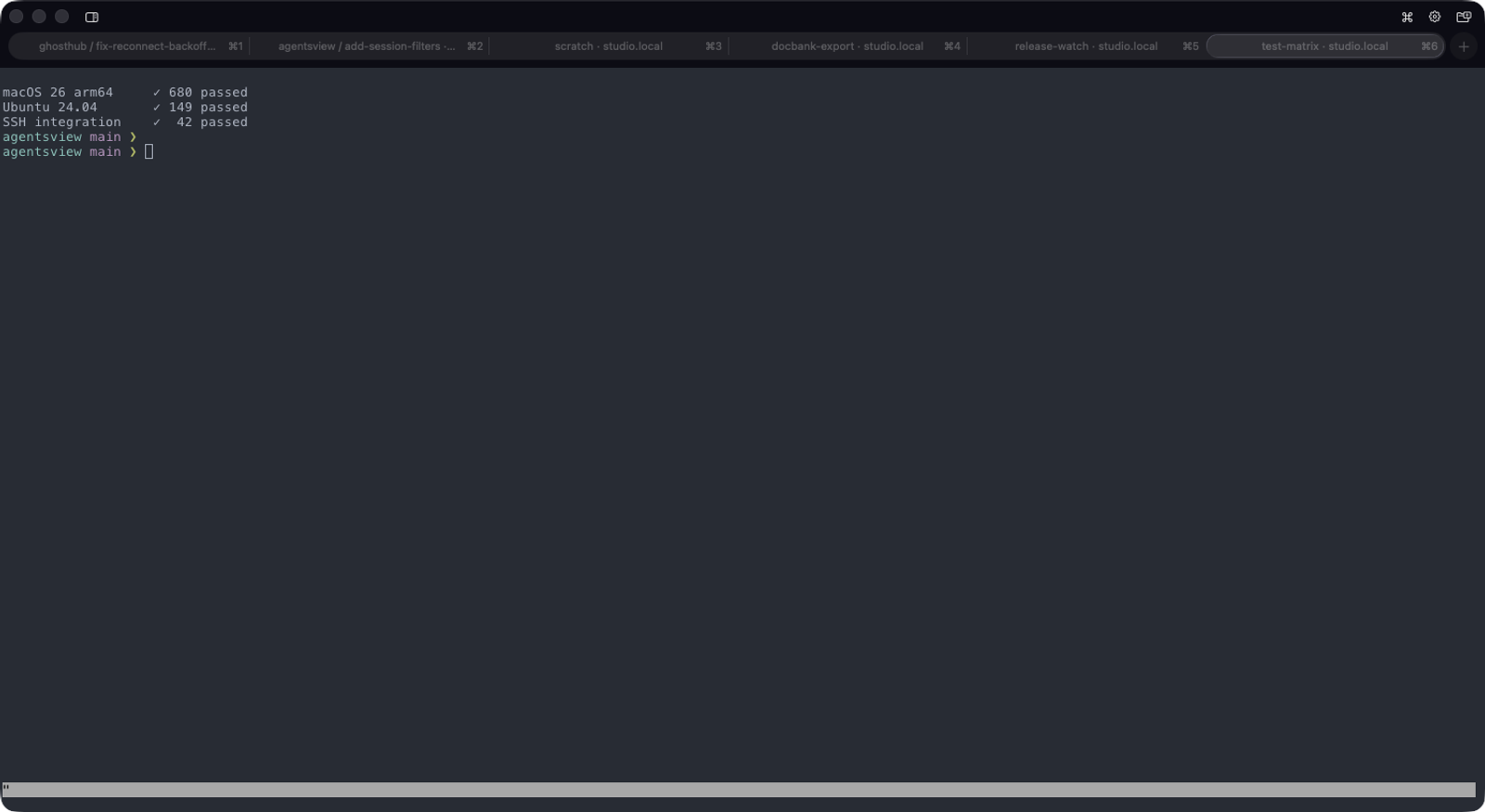
- Cmd+T opens a workspace tab in the current window.
- Cmd+N opens a separate workspace window.
- Cmd+1 through Cmd+8 select numbered workspace tabs.
- Cmd+9 selects the last workspace tab.
Each can attach to a different local or remote tmux, Herdr, or Zellij session. Use the macOS Window menu to move a tab into its own window or merge windows into a native tab group. If a numbered shortcut is beyond the end of the current group, it selects the group's last tab. The tab bar shows the available numbered shortcuts and updates them when you reorder tabs.
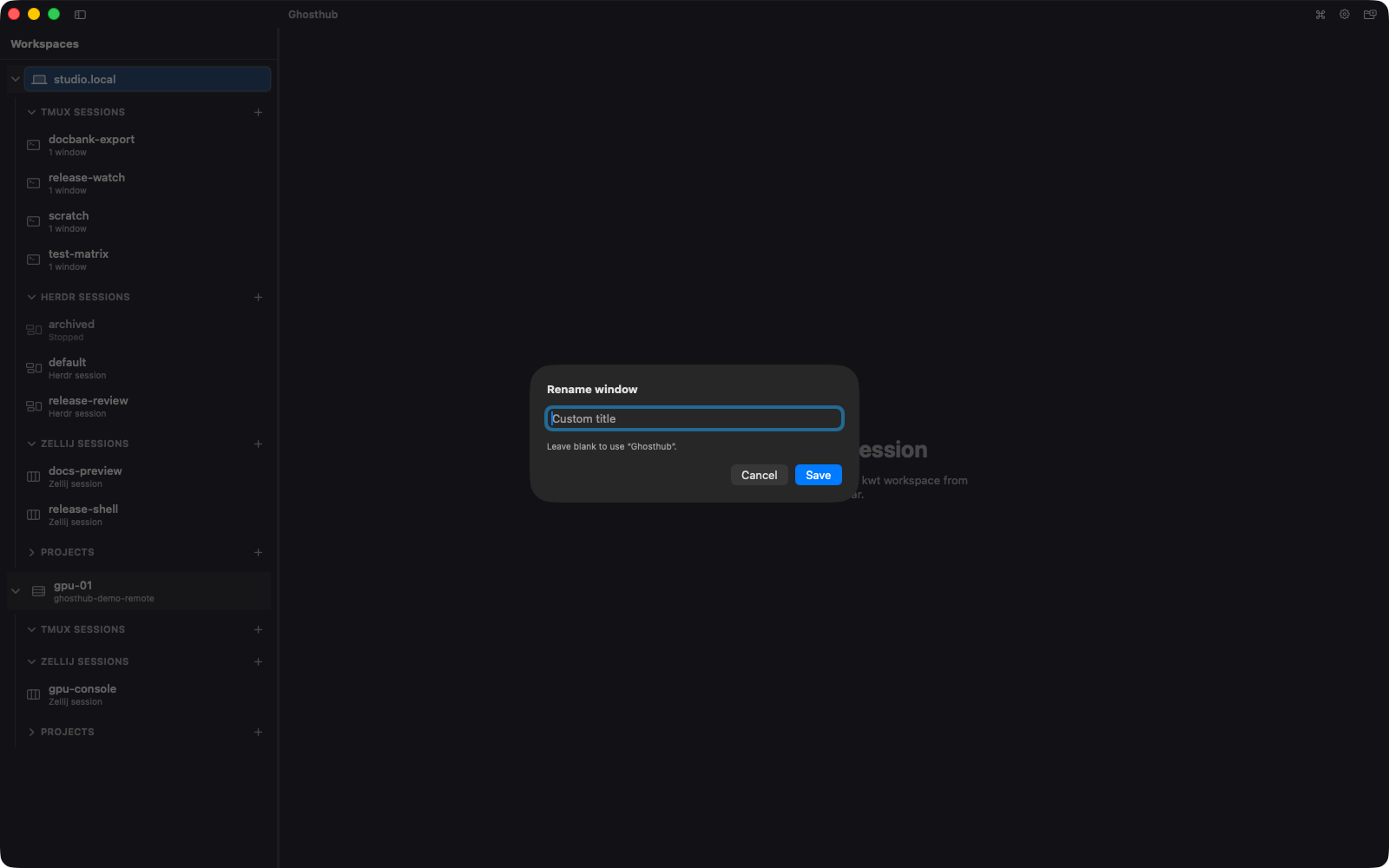
To give one workspace window or tab its own label, choose Window → Rename Window…. The label belongs only to that Ghosthub workspace and returns after restoration or an update relaunch. Save an empty title to return to the automatic session and host title. Renaming Ghosthub chrome never renames a tmux session or window, a Herdr or Zellij session, or a worktree. You can also hover the compact title and click either the title or its pencil to open the same editor. Dragging from that area moves the window without opening the editor.
Close a presentation
Cmd+W closes and detaches only the active session presentation. Other sessions opened in that workspace remain connected. Shift+Cmd+W closes the containing workspace window and detaches every presentation it owns. Neither action ends a tmux session or stops a Herdr or Zellij server. Use the separately confirmed Kill Session… or Stop Session… action when termination is intentional.
Closing the final workspace leaves Ghosthub running. Use Cmd+Q to quit. Quit confirmation is enabled by default and can be changed under Settings → Terminal.
Restore workspaces after launch or update
Ghosthub asks macOS to restore native windows and tabs. It reconnects each saved presentation only when it can confirm the exact tmux, running Herdr, or active Zellij session. Offline SSH hosts continue retrying as inventory refreshes.
During an update relaunch, Ghosthub saves each ordinary window's position and size along with its session, and recreates saved windows if macOS does not return them. If a display was disconnected, its windows return to an available display. macOS manages desktop Spaces, full-screen windows, and native tab groups; Ghosthub does not move windows between Spaces. Frame restoration applies to updates started from a build that includes this capture behavior.
A window that previously had no terminal attached restores its navigation state without creating a worktree session. Select the worktree when you are ready to attach.
Ghosthub → Check for Updates… checks for a newer compatible release even when an earlier update is already waiting to install. If a newer release is found, it replaces that queued offer. If the check fails, the earlier update remains available. Nightly update dialogs identify releases by date and build number so that builds sharing a release version are distinguishable.
Rearrange navigation
To arrange whole host sections, see Reorder hosts. That guide covers the shared order in the sidebar and Settings → Hosts.
Drag worktrees within a project, or reorder standalone tmux, Herdr, and Zellij sessions within their host groups. The insertion line previews the destination. Ghosthub remembers this display order without changing anything in Git, kwt, tmux, Herdr, or Zellij.