Terminal configuration
Ghosthub embeds libghostty for terminal rendering. It does not embed or run Ghostty.app, and Ghostty.app is not a runtime dependency.
Configuration file
Ghosthub's terminal configuration lives at:
The file uses Ghostty's configuration format, but it is owned and loaded independently by Ghosthub. Global Ghostty.app configuration does not affect Ghosthub.
Ghosthub reloads terminal configuration after the file changes. Use Shift+Cmd+, to request a reload immediately.
Terminal themes
Ghostty's built-in color schemes ship with Ghosthub, so theme accepts any of
their names directly:
Conditional light and dark themes, and paths to your own theme files, work the same way.
Background transparency
Ghosthub reads background-opacity and background-blur from ghostty.conf
at startup and on every reload:
When opacity is below 1, workspace windows and their chrome become
translucent at the configured opacity, and blur is applied behind the window.
Increased contrast (System Settings → Accessibility → Display) forces an
opaque window, and native fullscreen always stays opaque. There is no
separate Ghosthub setting. A project terminal.conf or a file loaded with
config-file can override these values.
Shell startup
For local shells, Ghosthub preserves libghostty's normal macOS login-shell and shell-integration behavior. It does not force a custom shell command by default. Your ordinary zsh startup files and key bindings should load as they do in a native macOS terminal.
Ghosthub avoids inheriting launcher-terminal EDITOR and VISUAL values that
can unexpectedly change zsh keymaps. It sets TERM_PROGRAM to ghosthub.
Session previews
Use Settings → Terminal → Session previews to choose still or live tmux previews. See Session previews for the modes, minimum versions, and resource costs.
Tmux themes
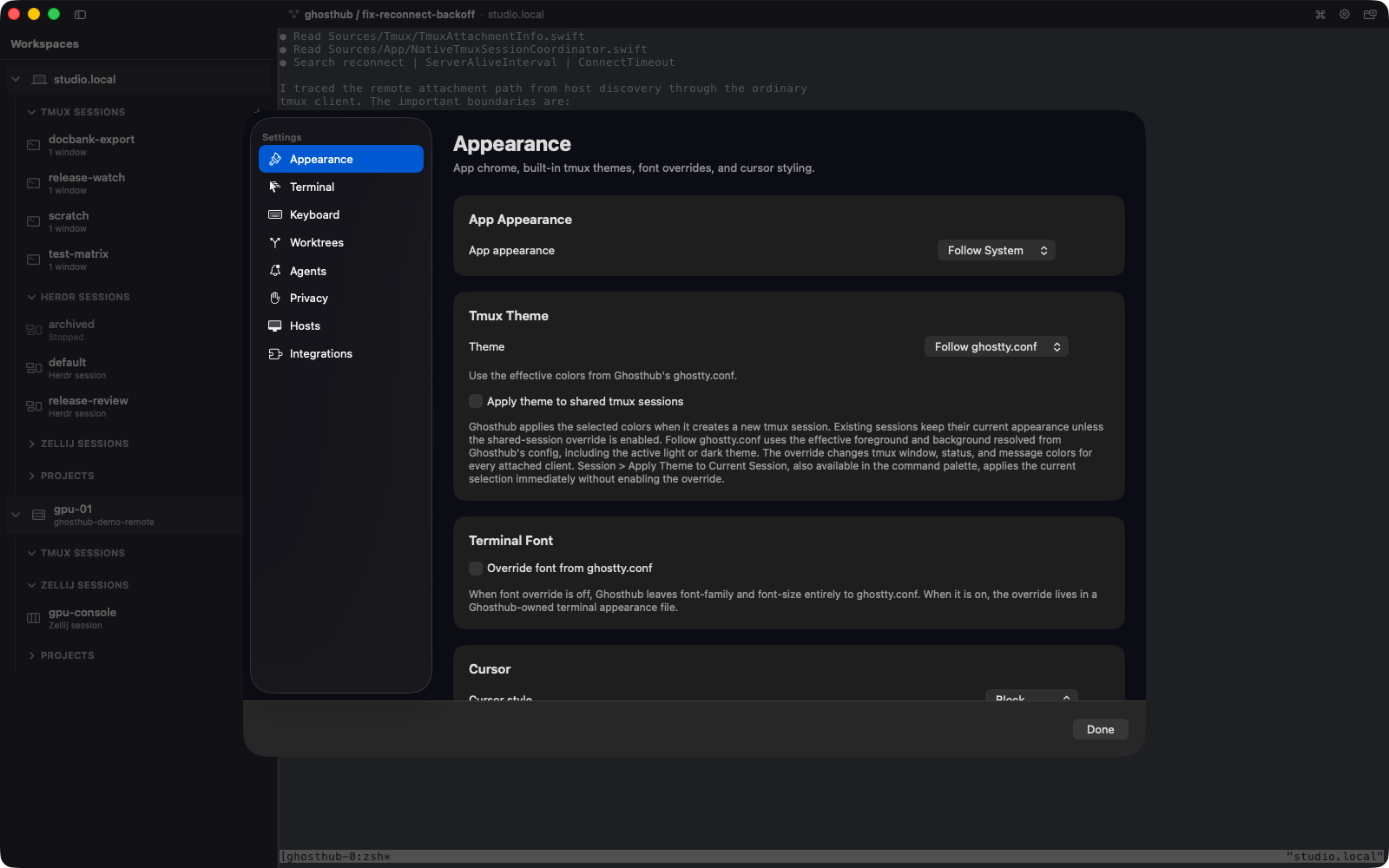
The Tmux Theme picker in Settings supplies colors for new sessions created by Ghosthub. When Follow ghostty.conf is selected, the effective foreground and background follow the current light or dark appearance.
Existing tmux sessions keep their own appearance by default. This avoids silently repainting a shared session for every attached client.
To change the active connected session once, choose Session → Apply Theme to Current Session or the matching Command Palette action. It updates the session's existing windows and tmux chrome for all attached clients.
To style future attachments to shared sessions automatically, enable Apply theme to shared tmux sessions in Settings. This is an explicit opt-in.
Ghosthub also applies a modest client-local text-contrast floor so inherited
ANSI colors remain legible on light and dark backgrounds without changing the
shared tmux theme. An explicit minimum-contrast value in ghostty.conf
remains authoritative.
Theme application is not available for the Console Panel or native Windows sessions.
Clipboard behavior
Remote tmux copy mode can copy text to the Mac clipboard through OSC 52, a
terminal command for clipboard access. The clipboard-write setting controls
whether those writes are allowed. Remote programs cannot read your Mac
clipboard through OSC 52. Your explicit paste shortcut still works.
To send an image to a tool in a local or remote macOS or Linux tmux session,
copy the image on your Mac and press Cmd+V. Ghosthub saves a PNG to
~/.ghosthub/paste-images/ on that host and pastes its absolute path into the
active pane. If the clipboard also contains text, Ghosthub pastes the text
instead. Ctrl+V keeps its normal terminal meaning. Pasting another image
also removes cached images older than seven days.
Image paste is not available for Herdr, Zellij, or native Windows/psmux sessions. See Sessions for terminal controls.
Quit behavior
Confirm before quitting Ghosthub is enabled by default under Settings → Terminal. Quitting the app or closing its windows detaches from tmux and leaves sessions running.