Launch profiles
Save a command as a launch profile when you often start new remote tmux sessions the same way. Profiles work on configured macOS and Linux SSH hosts. The local Mac and native Windows hosts do not offer them.
Save a command
- Open Settings → Hosts and select a macOS or Linux SSH host.
- Under Launch Profiles, choose Add Launch Profile.
- Enter a name and command. Both are required; names must be unique for that host.
- Select Done.
For example, a profile named Container shell can run:
The command runs on the selected SSH host. In this example, Docker and the
running app-container must already exist there.
Keep secrets out of commands
Ghosthub stores commands in local app settings. A running command may also appear in the host's process list. Do not include passwords, tokens, or other credentials.
Start a session
- Select the + beside the host's Tmux Sessions group.
- Enter a new session name.
- Under Start with, choose the profile. Login shell is the default.
- Select Create.
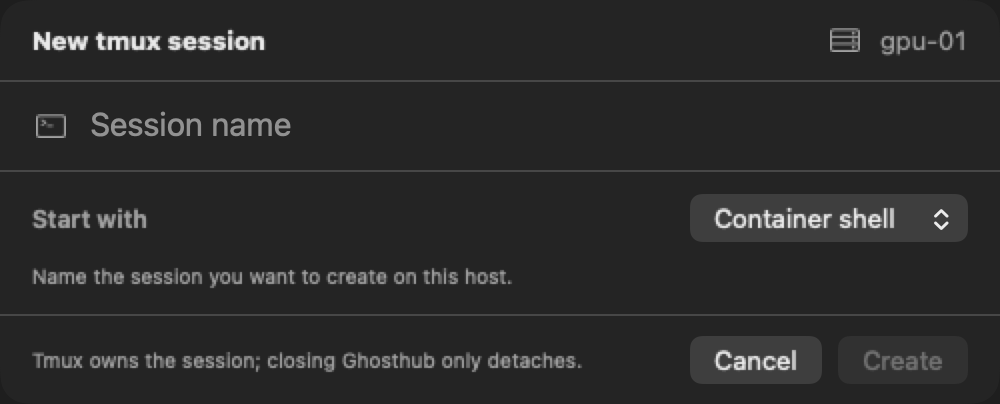
Ghosthub gives the command an interactive terminal. It runs the saved command only when creating this session. Opening an existing session or reconnecting to one does not run the command again.
What happens if the connection drops?
Ghosthub checks whether the new session exists. If it does, Ghosthub attaches to it. If it does not, the first command might still have done some work before the connection failed. Ghosthub shows the original command and asks you to confirm before running it again, even if you have edited the profile since.
If Ghosthub failed to open the terminal before starting the command, Retry keeps your profile choice and runs it without that extra confirmation.
Switching to another session leaves the pending terminal and any retry confirmation available when you return. Command-W detaches it. If you close a pending session before its command starts, Ghosthub cancels creation; use New tmux session to try again. Detaching an established session leaves its command running under tmux. See Attach and detach.