Remote hosts
Ghosthub can discover tmux, running and stopped Herdr sessions, and active Zellij sessions on remote macOS and Linux machines over SSH. Herdr and Zellij are optional; native Windows hosts using psmux are experimental and do not support them.
Before you add a host
A macOS or Linux host needs:
- a working OpenSSH server
- at least one supported multiplexer: tmux 3.2+, Herdr 0.8+, or Zellij 0.44+
- a destination that your Mac's OpenSSH configuration can resolve
Ghosthub checks the remote multiplexer version when attaching. Cmd-D and Cmd-Shift-D pane splitting is available with tmux 3.4 or newer or Herdr 0.8.0 or newer; older versions continue to work through their normal key bindings.
Test the same destination in Terminal first when diagnosing configuration or authentication:
Ghosthub follows OpenSSH configuration for users, ports, identity files, agents, host-key policies, and supported jump routing.
If the Herdr CLI is also installed on the remote host, Ghosthub silently adds its running and stopped sessions under Herdr Sessions. It still uses Ghosthub's OpenSSH trust, authentication, pooling, and reconnect path rather than Herdr's remote transport.
If Zellij is installed, Ghosthub adds its active sessions under Zellij Sessions and filters out exited/resurrectable entries. Attachments still use Ghosthub's ordinary OpenSSH transport rather than a backend-specific remote mode.
Add and test a host
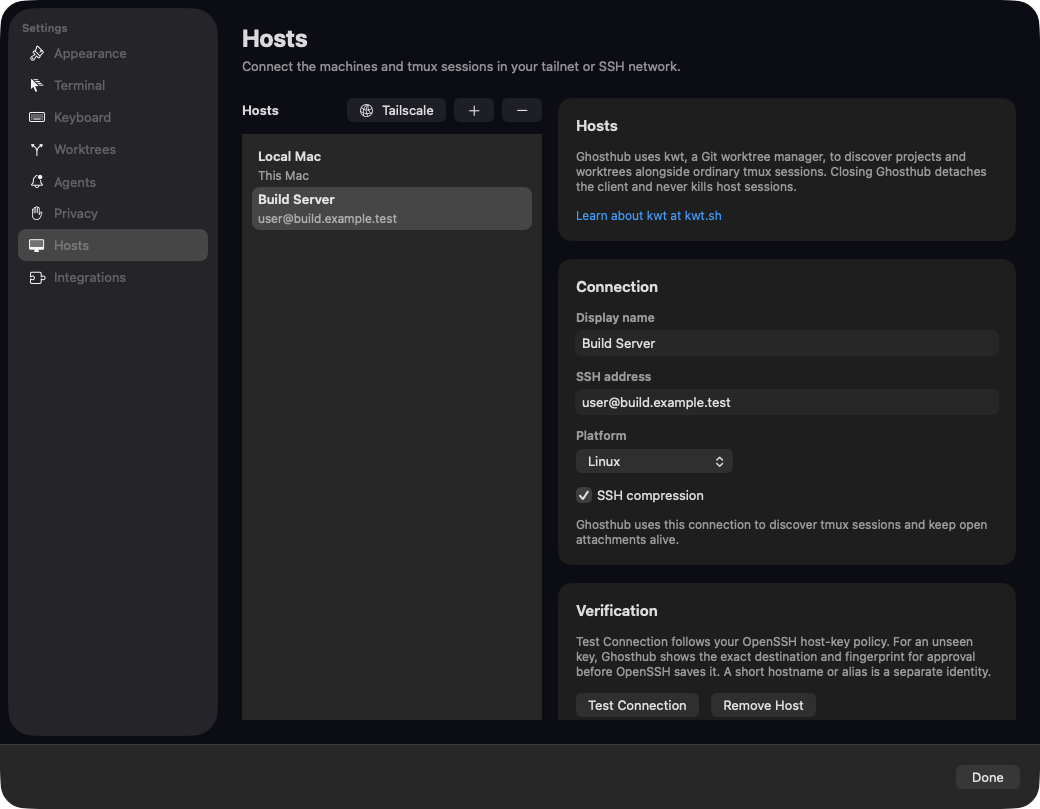
- Open Settings → Hosts.
- Add a destination such as
devbox,alice@build-server, or a configured SSH alias. - Choose the host platform.
- Select Test Connection.
An unreachable host does not block discovery or use of the rest of the fleet. An expanded, reachable host with no projects, tmux sessions, Herdr sessions, or Zellij sessions says so in the sidebar.
Reorder hosts
Drag Local Mac or a remote host in Settings → Hosts to change its position. The sidebar updates immediately, and the order is saved across launches and shared by all Ghosthub windows. Connection edits still take effect when you select Done.
You can also drag a host header in the sidebar to move its whole section, including the local Mac or an exe.dev host. The insertion line marks where the section will go. Settings shows Local Mac and configured SSH hosts in the same order; dragging there preserves the positions of discovered hosts outside that list. Local Mac is built in. You can move it, but cannot remove it or edit an SSH connection for it. Newly added hosts appear after the hosts you have arranged.
exe.dev hosts
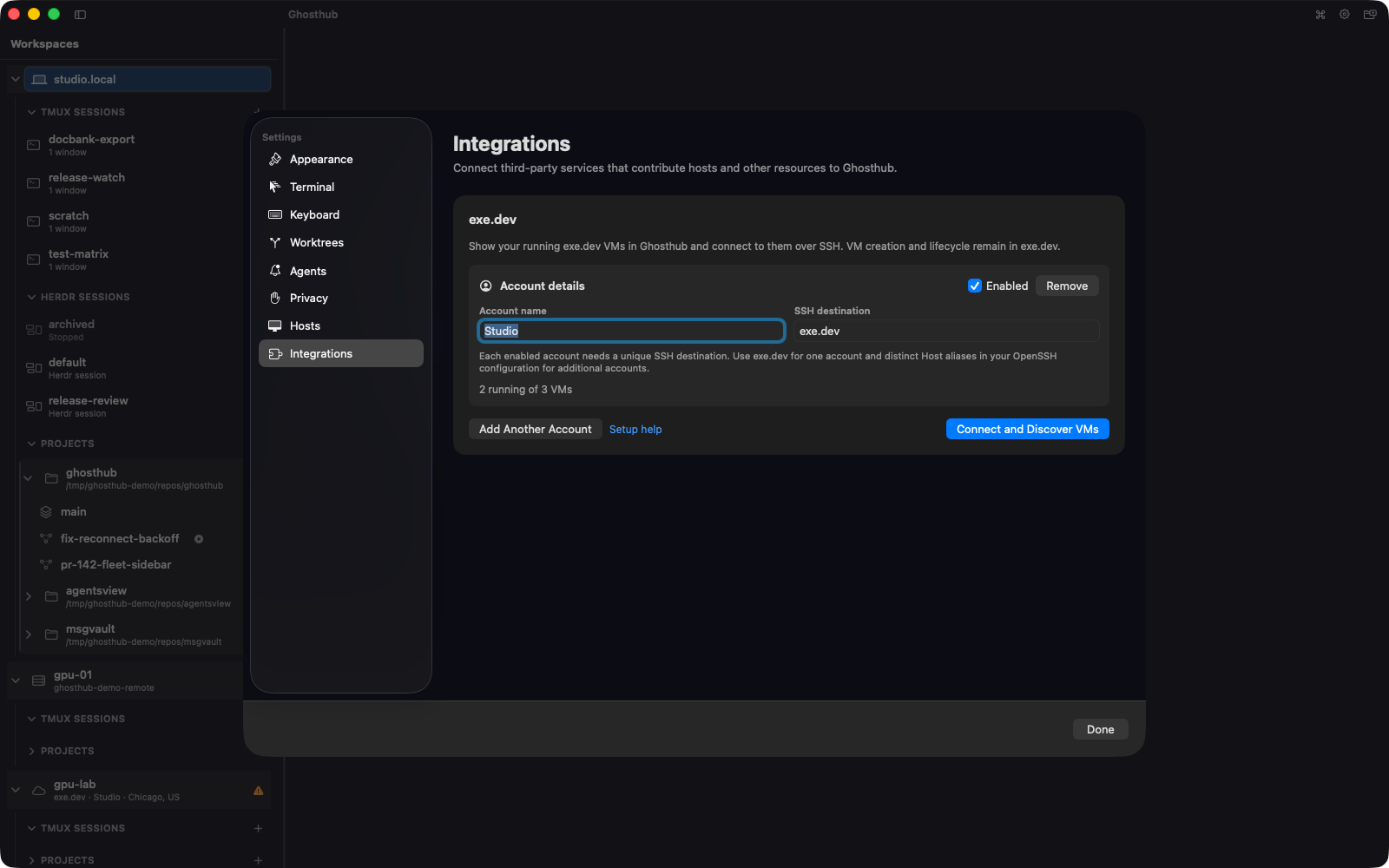
Ghosthub can discover running exe.dev VMs as SSH hosts without adding each VM manually. Create and manage VMs through exe.dev, then:
- Open Settings → Integrations.
- Add an exe.dev account. The default SSH destination is
exe.dev. - Optionally enter Tags to narrow discovery, such as
devordev, prod. - Select Connect and Discover VMs and complete any OpenSSH trust or authentication prompt.
Running VMs appear with the rest of the host fleet. Ghosthub uses each VM's exe.dev-provided SSH destination for ordinary tmux, optional Herdr or Zellij, and optional kwt discovery.
Leaving Tags empty discovers every VM on the account. With tags entered, Ghosthub discovers only VMs carrying at least one of them, and the account's status line reports the counts it was scoped to. Tags are matched without regard to case, and are managed in exe.dev.
Host-key trust
When OpenSSH encounters an unseen key under an interactive trust policy, Ghosthub presents the exact destination and fingerprint for review. Approve it only after comparing the fingerprint through a trusted channel.
ProxyJump routes are reviewed one hop at a time, and every trust or credential
prompt identifies the machine that controls it. Ghosthub rejects opaque
ProxyCommand routes and jump hosts that themselves use another proxy because
it cannot safely present the intermediate trust boundaries.
Authentication
Ghosthub uses your OpenSSH identities and agent configuration. When SSH asks an interactive question, Ghosthub presents a native secure-entry sheet naming the host that requested the response. The response is kept only for the running app session. Continue can intentionally submit an empty response when the challenge requires one.
If a host shows a caution icon, select it to review trust, authenticate, or retry. A successful ordinary host-inventory authentication refreshes inventory; it does not open a tmux, Herdr, or Zellij session by itself.
Tailscale browser checks
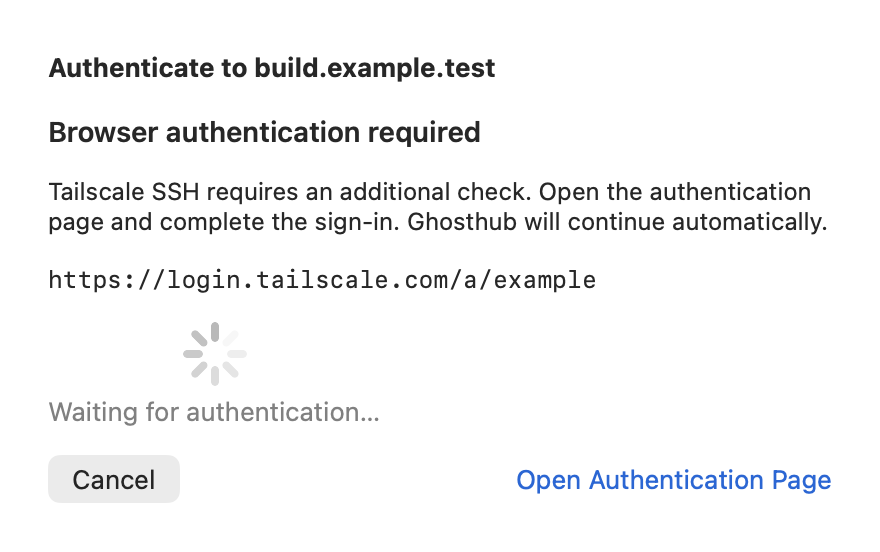
When Tailscale SSH requires a browser check, choose Open Authentication Page in Ghosthub's authentication sheet and complete the sign-in. Ghosthub keeps that SSH attempt open and continues automatically after approval. If the check expires, retry the connection to request a fresh link.
The sheet shows the host requesting approval, including a jump host when one is involved. You can also copy the displayed link into your browser. Cancel closes your connection attempt.
Automatic reconnect
If an active SSH connection drops, Ghosthub shows Connection interrupted and retries automatically, with no more than 30 seconds between attempts. Choose Reconnect Now to try immediately. When the connection returns, Ghosthub reattaches to the same exact tmux, Herdr, or active Zellij session; the server-side processes were never moved into Ghosthub.
If SSH needs authentication or host-key review, the presentation changes to Connection needs attention. Complete the native recovery flow to resume the same session. If you dismiss it, choose Review Connection to open it again.
If the connection still fails, Ghosthub shows OpenSSH's explanation and exit
status. For example, Permission denied (publickey) means account
authentication failed. Trusting a host key confirms the server's identity;
it does not sign you in. Check the account and SSH key used for that host.
Slow connections
For text-heavy terminals on a slow connection, SSH compression can reduce the amount of output sent over the network. Ghosthub enables it by default for remote hosts, including hosts you added before this setting was available.
To change it for a host, open Settings → Hosts, select the host, and change SSH compression, then select Done. The setting takes effect on new SSH connections. Saving it releases the host's open attachments; remote sessions keep running. Reopen a session to attach with the new setting.
You do not need to edit ~/.ssh/config. Compression can reduce output
congestion, but does not eliminate delays caused by an unreliable network.
Managed kwt helper
Tmux-only hosts do not need kwt. To show projects and worktrees on a remote
macOS or Linux host, configure the host normally. Ghosthub automatically copies
or updates its matching revision-pinned helper during project inventory. It
verifies the helper, stores it under ~/.ghosthub/, and does not install or
replace a system-wide kwt. Passive maintenance failures stay out of the way of
tmux, Herdr, and Zellij sessions. When you request a project or worktree
operation, Ghosthub repairs the helper first and shows an error on that action
only if repair still fails.
Register individual repositories with the explicit Add Project action. Ghosthub never scans a remote filesystem. See Projects and Worktrees.
Tailscale hosts
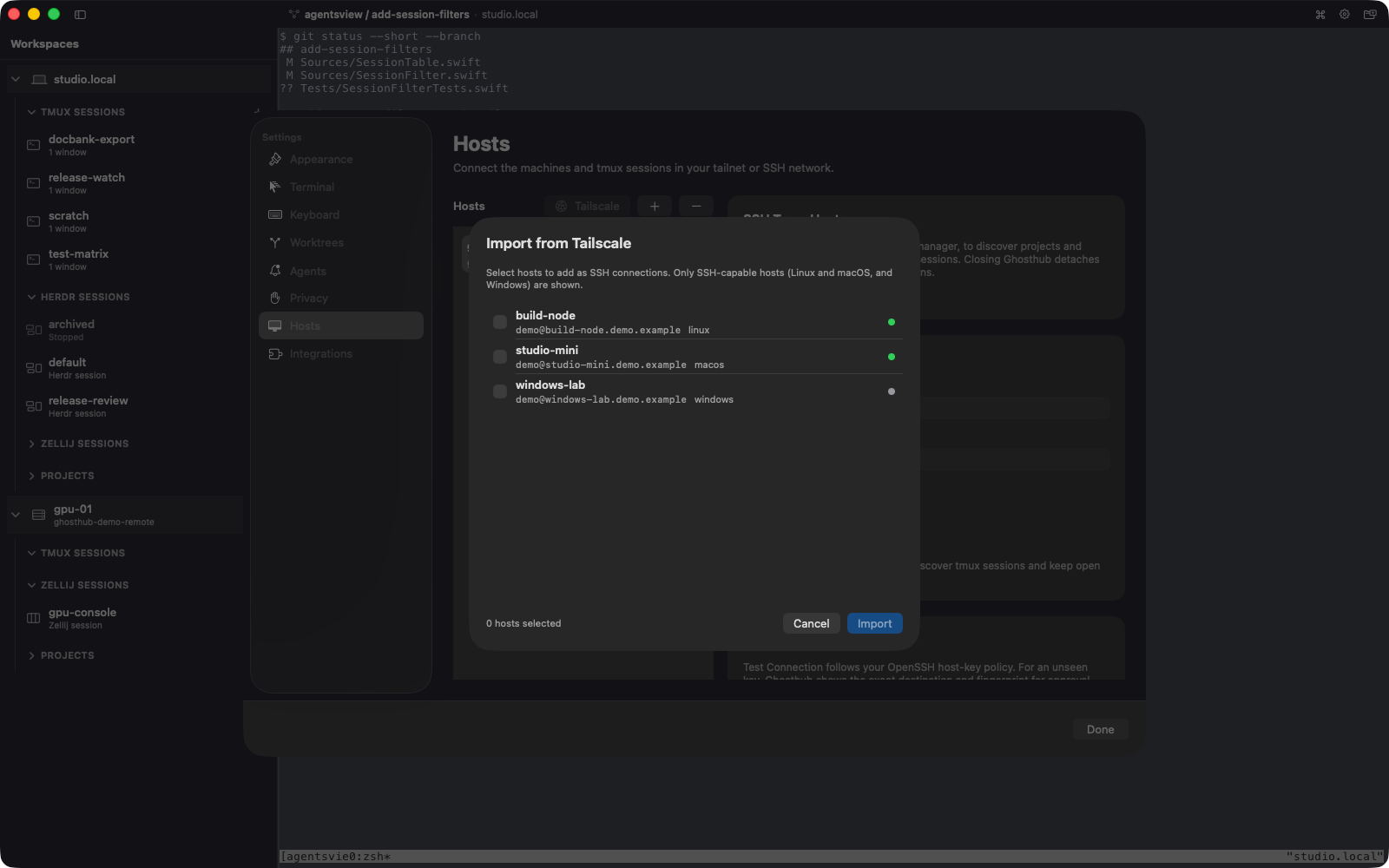
Importing a Tailscale peer preserves its full MagicDNS name. Ghosthub uses the user selected by OpenSSH configuration and falls back to the local macOS user name when none is configured. The import picker starts with every peer unselected so you can choose only the hosts you want to add.
Experimental Windows hosts
Native Windows support requires:
- Windows 11 build 22523 or newer
- Windows OpenSSH
- Windows PowerShell 5.1 or newer
- psmux with its
tmux.execompatibility alias available
Choose Windows (psmux) when adding the host. After a successful connection test, Install Bundled kwt can upload the matching AMD64 or ARM64 helper for that user. The Windows helper is currently unsigned, so this path is intended for development machines and power users and is never run automatically. Automatic provisioning will remain disabled until the kwt executables are Authenticode-signed. Adding a new project from Ghosthub is not yet supported on Windows, although already registered project inventory can be shown.
Session activity indicators require psmux 3.3.4 or newer; older supported versions remain attachable but publish no passive activity state.